
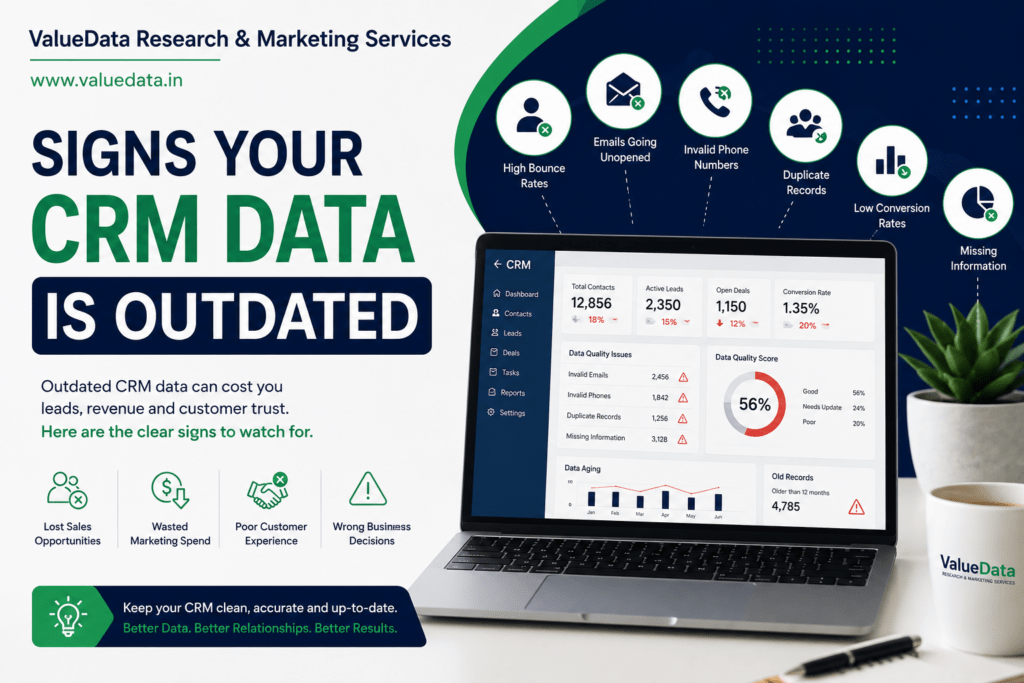
Your CRM is only as good as the data inside it. But over time, most databases quietly fill up with errors. This is what we call Outdated CRM data, and it can silently damage your sales and marketing results.
In this guide, we will explain the clear signs of Outdated CRM data. We will also share simple steps to fix it. So, let’s dive in.
First, let’s define the term. Outdated CRM data means any information in your system that is incomplete, outdated, duplicated, or simply wrong. This can include misspelled names, old job titles, dead email addresses, or duplicate contact records.
Over time, this problem grows bigger. As a result, your team wastes hours chasing leads that don’t exist anymore. Therefore, understanding Outdated CRM data early can save you a lot of pain later.
Before we look at the signs, let’s understand the impact. Outdated CRM data doesn’t just look messy. It actually costs you money and time. Here’s how:
So, once trust is broken, teams often start using spreadsheets on the side. This makes the problem even worse. Consequently, fixing Outdated CRM data should be a top priority, not an afterthought.
One of the clearest signs of Outdated CRM data is duplication. If you see the same contact appear two or three times, that’s a problem. Duplicates usually happen because of manual entry errors or multiple lead sources feeding into the same CRM.
Additionally, duplicates confuse your sales team. Two reps might contact the same lead without knowing it. This looks unprofessional to your prospects. So, if duplicates are common in your system, it’s time for a cleanup.
Another strong sign of Outdated CRM data is a rising bounce rate. If your open rates are dropping and bounces are climbing, your contact list likely has outdated or fake emails.
Furthermore, high bounce rates can hurt your domain reputation. Once your reputation drops, even your good emails start landing in spam folders. Therefore, monitoring bounce rates regularly helps you catch Outdated CRM data before it spreads further damage.
Next, look at how many fields are empty in your CRM. Missing job titles, phone numbers, or company names are a sign of Outdated CRM data. Incomplete records make segmentation nearly impossible.
For example, if you want to target “marketing managers in Mumbai,” but half your records are missing job title or location, your campaign will fail. So, incomplete data limits your ability to run precise, targeted outreach.
Formatting issues are another common symptom of Outdated CRM data. For instance, some phone numbers might include country codes, while others don’t. Some names might be in all caps, while others are in lowercase.
This might sound minor, but it isn’t. Inconsistent formatting breaks automation rules and personalization tags. As a result, your emails might say “Hi JOHN” instead of “Hi John.” Small issues like this add up and hurt your brand’s professionalism.
People change jobs often. Companies merge, rebrand, or shut down. If your CRM still shows old job titles or old company names, that’s a clear sign of Outdated CRM data.
Consequently, your sales pitch might target the wrong decision-maker. Imagine calling someone who left the company two years ago. This wastes your team’s time and creates a poor first impression with whoever answers instead.
Here’s a sneaky sign of Outdated CRM data. Your contact volume looks huge, but engagement is low. Few people open emails. Few people respond to calls. This mismatch usually means many contacts are outdated, irrelevant, or invalid.
In other words, quantity is not the same as quality. Therefore, if your big database isn’t producing real results, it’s time to investigate the data quality behind those numbers.
Now that we’ve covered the signs, let’s talk about the day-to-day impact. Sales reps depend on clean data to prioritize their time. When the data is messy, they spend more time verifying information manually.
Meanwhile, this reduces the number of calls and meaningful conversations they can have each day. So, Outdated CRM data doesn’t just look bad on paper. It directly reduces your team’s productivity and revenue potential.
The first step to fixing Outdated CRM data is running a complete audit. Export your records and check for duplicates, missing fields, and formatting inconsistencies. Many CRMs offer built-in tools for this, while others may need third-party data-cleaning software.
Also, involve your sales and marketing teams in this process. They often know which records “feel wrong” from daily use. So, combining automated tools with human feedback works best.
Next, fixing Outdated CRM data means preventing future mess, not just cleaning the past. Create clear rules for data entry. For example:
As a result, your team enters data the same way every time. This consistency makes future cleanups much easier.
Most CRMs allow you to set duplicate detection rules based on email, phone number, or company name. Turning this on early prevents Outdated CRM data from building up again.
Additionally, schedule a monthly or quarterly merge review. Even with automated rules, some duplicates slip through. So, a human review step adds an extra layer of protection.
Data decays fast. Therefore, verifying and updating your contact information should be an ongoing task, not a one-time project. Use email verification tools to catch invalid addresses. Also, cross-check job titles on LinkedIn periodically.
Furthermore, consider using a trusted data provider to refresh your records with updated, verified details. This reduces the manual work your team has to do every quarter.
Not every contact deserves a permanent place in your CRM. If someone hasn’t engaged in over a year, and their information cannot be verified, it may be time to archive or remove them.
This keeps your active database lean and focused. As a result, your team spends time only on leads that actually matter, instead of chasing dead ends.
Fixing Outdated CRM data isn’t just a technical task. It’s also a culture shift. Train your sales and marketing teams on why clean data matters. Show them real examples of how Outdated CRM data has caused missed opportunities in the past.
Consequently, when your team understands the “why,” they are more likely to follow data entry rules consistently. This reduces the chances of new Outdated CRM data creeping back in.
Finally, one of the best ways to prevent Outdated CRM data is to start with reliable sources. If you’re buying or importing bulk contact lists, make sure the provider verifies data regularly and offers clean, structured records.
This is where working with a trusted B2B data provider like ValueData can help. They offer verified, updated business data, which means fewer duplicates, fewer invalid emails, and less cleanup work down the line for your team.
For additional guidance on maintaining high data quality standards, you can also check research from Gartner, which regularly publishes insights on data management best practices for B2B organizations.
A common question is how often teams should check for Outdated CRM data. The answer depends on your data volume and how fast your industry moves. However, as a general rule:
So, treating CRM cleanup as an ongoing habit, rather than a one-time fix, keeps your data healthy long-term.
Outdated CRM data is one of those problems that grows quietly until it becomes impossible to ignore. Duplicate records, bounced emails, missing fields, and outdated details all add up over time. However, the good news is that fixing it doesn’t require a complete overhaul.
Instead, small, consistent habits make a big difference. Audit regularly. Standardize entry rules. Verify contacts often. And most importantly, treat clean data as an ongoing responsibility, not a one-time project.
In the end, a clean CRM means your team spends less time fixing errors and more time closing deals. And that’s a win for everyone.
📩 enquiry@valuedata.in | 📞 +91 70214 90895


Leave a Comment